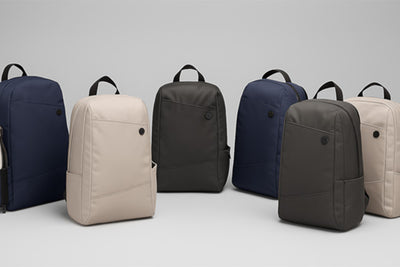
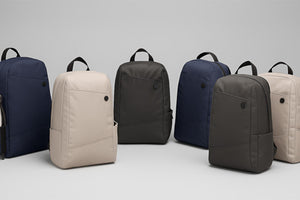
Anti-Theft Backpacks

Covers the Anti-Theft 2.0 backpacks, including the Drift and the Voyager. Crossbody and shoulder bags have their own guide.

Anti-Theft Backpacks

The Essentials

Set it up, understand the key functions and get ready to use it.

Lock your backpack
Lock your backpack

Use the locking zipper clips whenever you want an extra layer of security. Bring the zipper pulls together and secure them to the locking clip so the main compartment is harder to open unnoticed.

Helpful Tip: You don’t need to lock every pocket all the time. Prioritise the compartment holding your valuables.

Keep passports and cards secure

Both backpacks have an RFID-protected pocket for your passport and contactless cards, but they sit in different places.

  • Drift backpack: an internal RFID pocket inside the main bag.
  • Voyager backpack: a hidden RFID pocket on the back of the bag, so it sits against your back and is very hard for anyone else to reach.

Either way, use it for the items you can least afford to lose.

Helpful Tip: Keep your passport and primary cards together in the RFID pocket so they’re easy to locate when you need them.

Wear your backpack correctly

Both Anti-Theft 2.0 backpacks have adjustable shoulder straps, so you can bring the bag in close to your back instead of letting it hang low. Pull the strap tips down until it sits snug and stays put as you walk.

Both backpacks also come with a sternum strap. Clip it across your chest to help spread the load and take weight off your back.

Helpful Tip: Reduce excess strap length before entering crowded areas so the backpack stays closer to your body.

Make the Most of It

Practical tips and ideas to help you use it more effectively.

Pack for balance and easy access

Keep heavier items close to your back and lower in the main compartment so the backpack feels more balanced when carried. Place frequently used items higher up or in the easier-to-reach pockets, while valuables stay in the more secure internal compartments.

Helpful Tip: Give your phone, passport and wallet fixed pockets so you always know where to reach for them.

Use it as your personal item

Both Anti-Theft 2.0 backpacks are designed to work well as a personal item when your fare allows one in addition to your carry-on. Their compact shape makes them suitable for storing under the seat in front of you on many aircraft, while still keeping travel essentials close at hand.

Personal-item allowances and maximum dimensions vary by airline and fare type, so always check your airline’s current rules before travelling.

Helpful Tip: Use the smart sleeve on the back to slide the backpack over your carry-on handle when moving through the airport.

Use the secure rear pocket

If you have the Voyager backpack, the most secure pocket is the zippered pocket at the back of the bag. It is RFID-protected and sits against your body, making it much less accessible to an opportunistic thief.

Care, Repairs & Support

Cleaning, maintenance, troubleshooting and help when something goes wrong.

Clean and care for your bag

The outer fabric is made from water-repellent polyester and can usually be cleaned with a soft, damp cloth. For marks or dirt, use a small amount of mild detergent and wipe gently.

Allow the bag to dry naturally before using or storing it.

Helpful Tip: Test any cleaning product on a small, hidden area first.

Understand your warranty

Every Anti-Theft 2.0 bag and backpack is covered by a 1-year warranty against manufacturing defects, so if a zip, seam or clasp fails because of how it was made, we will put it right.

Covered: faults in zippers, stitching, buckles, clasps or other hardware that come from manufacturing.

Not covered: misuse, accidents, external damage, and the normal wear that comes with regular use.

Helpful Tip: Keep your order confirmation handy. It is all we need to look up your purchase if you ever make a claim.

Good to Know

Answers to the questions customers ask most often.

Why is the lining light in colour?

The lighter lining is intentional. It makes the inside of the bag easier to see, so smaller items are quicker to find than they would be against a dark interior.

How do I clean the inside of my bag?

The lining can pick up marks and dust over time. Wipe it gently with a damp cloth and a small amount of mild detergent if needed, then leave the bag open to dry naturally.

The lining also has an antimicrobial treatment designed to help inhibit the growth of bacteria and mildew.

Helpful Tip: Test any cleaner on a small, inconspicuous area first.

How do anti-theft bags resist slashing?

The vulnerable outer sections of our anti-theft bags and backpacks are internally reinforced with a UHMWPE cut-resistant fabric. This high-strength material adds a hidden protective layer that makes the bag much harder to cut through than ordinary bag fabric, without adding the bulk of a metal mesh.

Goes well with your case

Complete your kit